Docs
Doc / Cases / Lan Messenger
Talk to Your Family and Share Photos in a LAN on the Internet
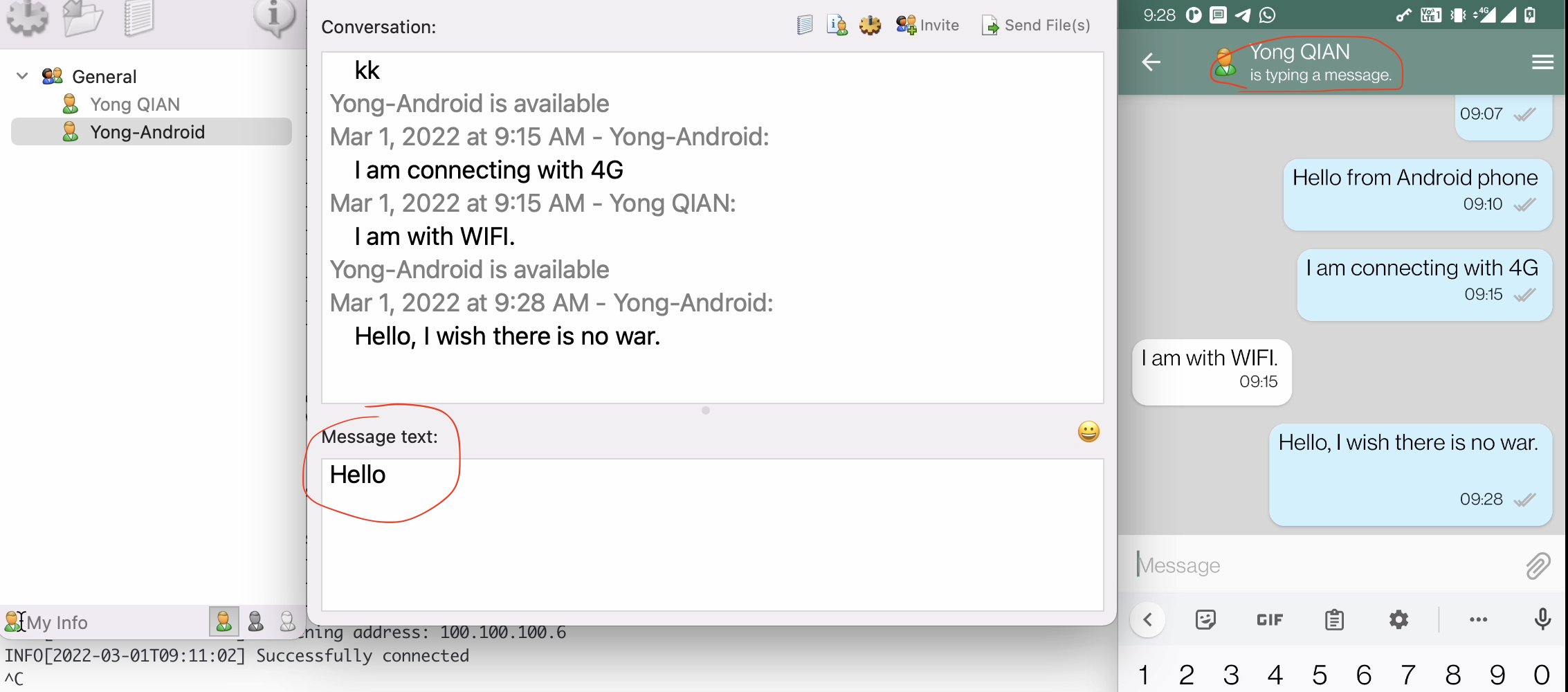
LAN Messenger is a secure network messaging software application for corporate LANs (local area networks). It does not require a server and is very easy to install and use. Features include message notifications, personal or group messaging, and an intuitive interface. It works on Windows, macOS, and Linux.
With OmniEdge, LAN Messenger can work over OmniEdge's peer-to-peer network from anywhere - your local LAN now spans the globe!
Requirements
- OmniEdge v2.x for your platform:
- LAN Messenger
Install OmniEdge
Quick Install (Linux/macOS)
curl -fsSL https://raw.githubusercontent.com/omniedgeio/omniedge/main/scripts/omniedge-install.sh | bashWindows
Download OmniEdge Desktop for Windows and install.
Connect to Your Network
# Start OmniEdge (interactive login on first run)
sudo omniedge start

# Or use security key
sudo omniedge start -s YOUR_SECURITY_KEY -n YOUR_NETWORK_ID
Invite Friends and Family to Your Network
With OmniEdge's network sharing feature, you can invite friends, family, or teammates to your virtual network:
- Go to OmniEdge Dashboard
- Select your virtual network
- Go to Users → Invite
- Enter their email address
- They'll receive an invitation email
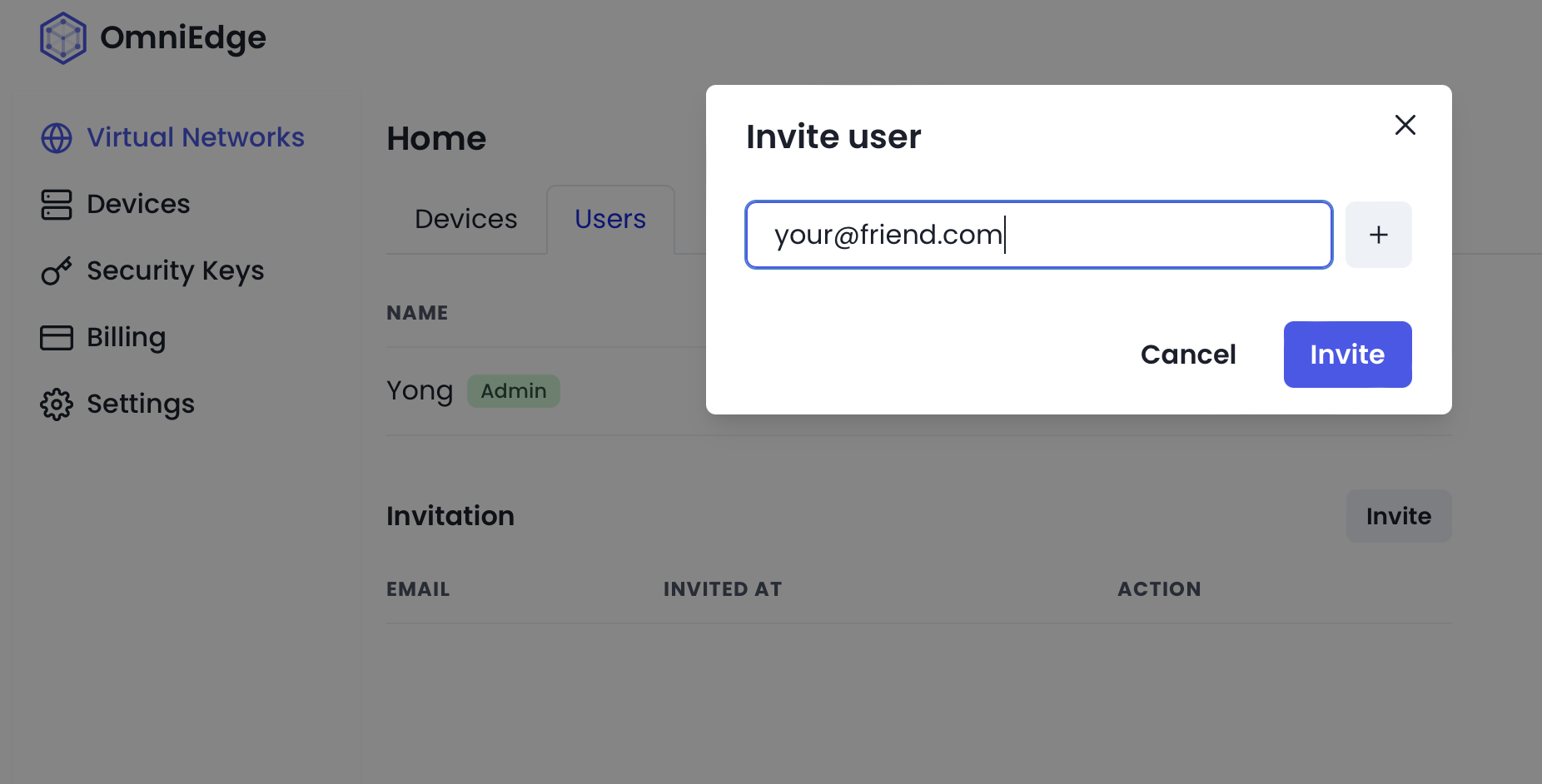
Once they accept and install OmniEdge, they join your private network.
Talk and Share Files
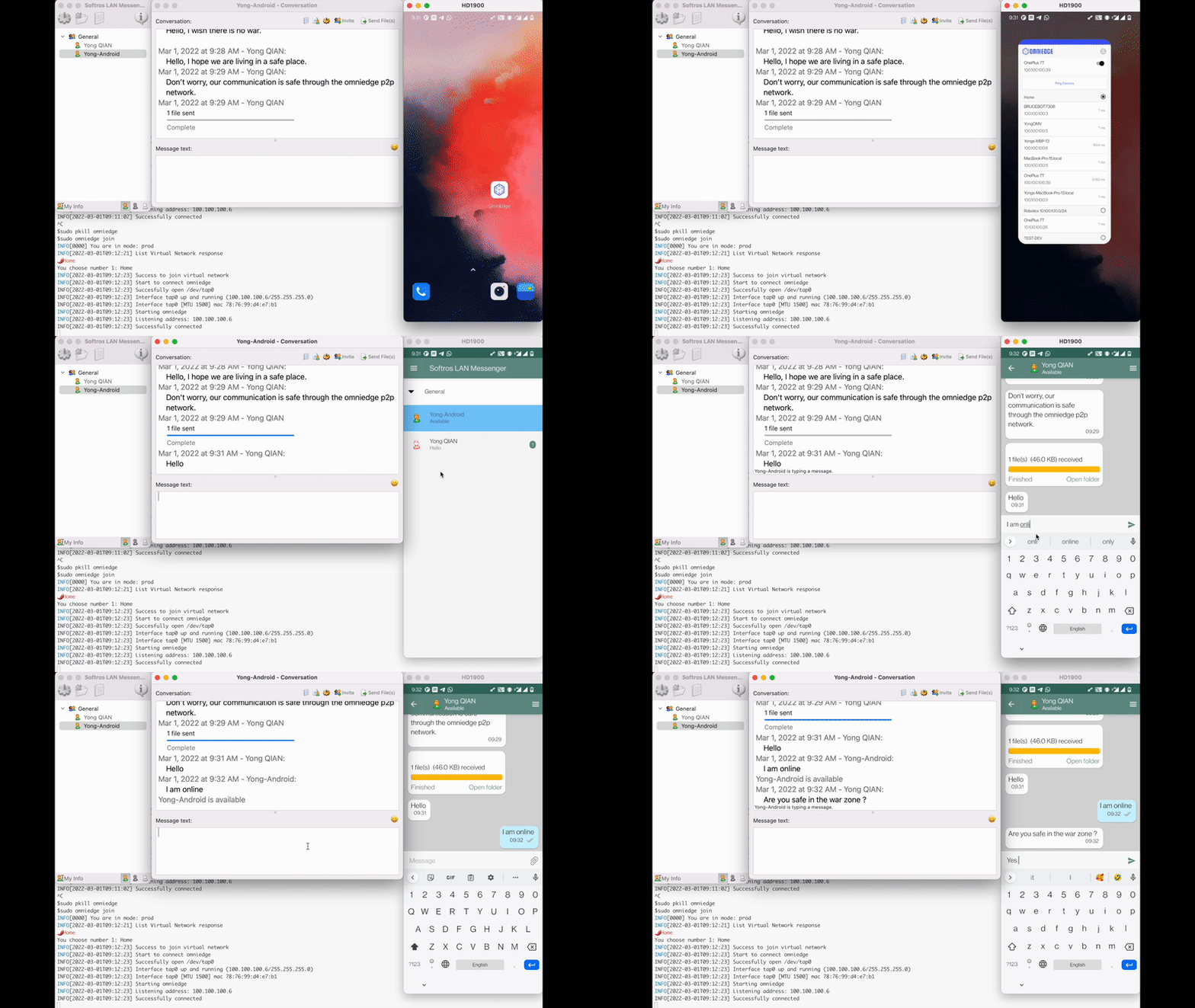
LAN Messenger automatically detects devices on the same network. With OmniEdge connecting everyone to the same virtual network:
- Install LAN Messenger on all devices
- Connect to OmniEdge
- LAN Messenger discovers all connected family/friends
- Start chatting and sharing files!
Features
Private and Secure
- All communication stays within your OmniEdge virtual network
- End-to-end encryption via WireGuard
- No third-party servers storing your messages
No Account Required
- LAN Messenger doesn't require any account signup
- Just install and it discovers nearby users automatically
Cross-Platform
- Works on Windows, macOS, and Linux
- Family members can use different operating systems
Use Cases
Family Communication
Create a private messaging space for your family without using commercial messaging apps.
Small Business
Set up internal messaging for your team without subscribing to enterprise chat services.
Remote Collaboration
Colleagues working from different locations can communicate as if in the same office.
Enjoy!
If you have more questions, feel free to discuss.
On This Page